Tales of Eternia Remastered Changes: What's New and Different
Explore the key changes, quality-of-life boosts, audio updates, and new skits in Tales of Eternia Remastered for modern platforms.
Published: Tales of Eternia Remastered Wiki Editorial Team
Table of Contents
Understanding the Scope of Tales of Eternia Remastered Changes
When stepping back into a classic JRPG, veteran fans often wonder how much a modern release will alter the core experience. Developed by TOSE CO., LTD. and available on platforms like Steam through the official Tales of Eternia Remastered Steam Store Page, this version brings the beloved adventure to contemporary hardware while introducing significant adjustments to systems, presentation, and audio.
Community reports from players spending extensive hours with the remaster highlight a blend of welcome modernizations and nostalgic quirks. Whether you are revisiting the world or experiencing the journey for the first time, understanding these adjustments helps you configure your playthrough—from choosing the right difficulty to managing progression speed.
Presentation, Visuals, and Interface Adjustments
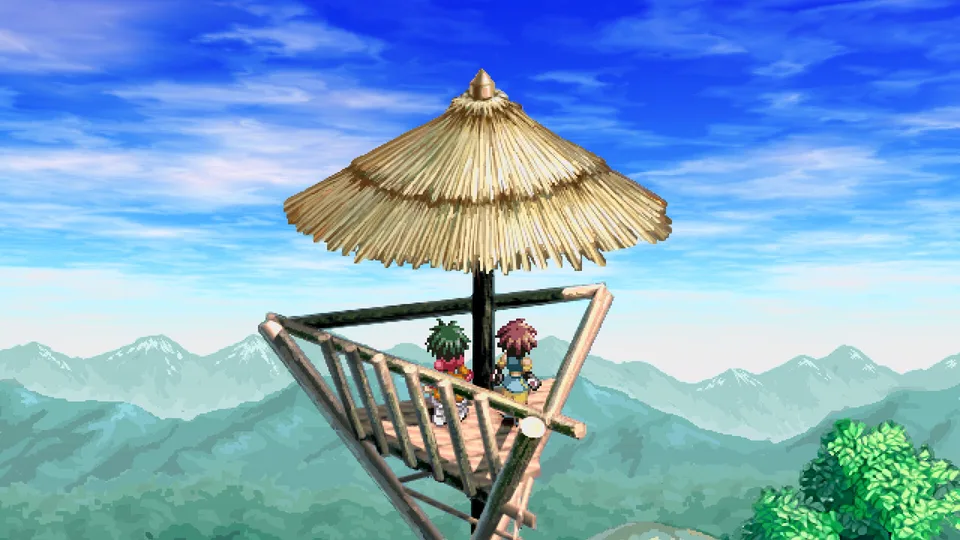
The visual overhaul strikes a noticeable balance between preserved nostalgia and high-definition clarity. The background environments look remarkably clean and sharp on modern displays. However, because the character sprites remain largely untouched, a distinct visual contrast emerges when examining scenes closely.
The widescreen menu layout also presents a unique design choice. While adjusted to fit modern screens, certain menus feature considerable amounts of unused empty space rather than a tightly packed layout.
Visual Enhancements
Backgrounds feature crisp, high-definition clarity, though they make the classic character sprites stand out more prominently against the scenery.
Interface Layout
Widescreen adjustments leave some menu screens feeling sparse, though combat maintains its smooth, classic responsiveness with virtually nonexistent load times.
Audio Redubs and Translation Updates
One of the most talked-about aspects of this release involves the audio and script. The entire game features a fresh retranslation alongside newly recorded English voice acting. According to community feedback, these changes require some adjustment for longtime fans who have memorized decades-old lines.
Early-game dialogue delivery can occasionally sound unpolished, with certain lines feeling disconnected from the immediate scene context. Furthermore, iconic catchphrases have been rewritten—such as Farah's classic "No problem" line being changed to "Easy breezy." Fortunately, the voice direction and conversation flow stabilize noticeably as the narrative progresses beyond the early areas.
New Camp Skits and Dialogue Additions
For returning fans, the addition of fully translated camp skits stands out as a major highlight. While hint skits have always been accessible via quick inputs, the camp skits feature brand-new character interactions that were previously unavailable in English.
Open the world map menu.
Press the square button to bring up the camp options.
Select the camp feature to trigger humorous and engaging character conversations.
These optional interactions provide fresh narrative depth, offering players a rewarding incentive to check in with their favorite party members during their travels.
Quality of Life Boosts and Pacing Control
Progression systems have received comprehensive modernization through customizable boosts. These features grant returning players direct control over how fast they advance through the game world.
Multiplier Options: Multiply experience, gold, and weapon proficiency by up to four times.
Numerical Proficiency Tracking: View exact numerical values for slash, stab, punch, and kick levels instead of guessing.
Skill Usage Shortcuts: Benefit from double skill usage counts, drastically reducing repetition when mastering arts and working toward Mystic Arts.
Cooking & Combat Speed: Double cooking proficiency gains and utilize faster auto-battles to streamline repetitive grinding.
While these boosts offer immense flexibility, player experience suggests caution. Turning every multiplier to maximum during a first playthrough can accelerate progression so drastically that you might unlock advanced Artes much earlier than intended. Gradual leveling is generally recommended for newcomers, reserving extreme boosts for subsequent replays.
Exploration, Healing, and Navigation Improvements
Navigating the world and preparing for dungeons is significantly streamlined thanks to new convenience features. Managing party resources no longer requires tedious individual item sorting.
Tip
Utilize the quick-healing feature by pressing the square button in the menu. You can instantly restore your party to 75% health or perform a full heal using items or skills without managing characters individually. Additionally, item capacity limits can be raised from 15 to 99 for extended exploration.
World exploration also benefits from increased movement speed on the map and clear destination markers that guide you toward story objectives and missed items. While timed event markers can occasionally linger longer than desired if you choose to skip a side task, these notification systems can be toggled in the settings to suit your preferred play style.
Frequently Asked Questions
Are all difficulties available from the beginning?
Yes, the demanding Extreme difficulty is unlocked right from the start, allowing returning players to tackle tougher challenges and fulfill difficulty-related requirements during their initial run.
Can I turn off the new navigation markers?
Yes, destination and timed event markers can be disabled in the options menu if you prefer a more traditional, unguided exploration experience.
Are the camp skits voiced in English?
Preview coverage reports that the remaster's skits, including the newly added camp conversations, receive full English voice work in the new dub, alongside Japanese audio. Text is fully localized either way, so you can follow the new scenes with either voice track.